GTA 6 pre-order guide for PS5 and Xbox Series X|S
A buying-focused page for people who want the game reserved without falling into fake beta, fake PC, fake discount or unclear retailer pages.
Last updated:
Start with official store links
Visitors should not have to hunt for the safe store path. This section puts official routes first and keeps platform-specific terms visible before checkout.
Rockstar Games
Official source first
Use this as the starting point when verifying release date, platforms and official store routes.
Open RockstarPlayStation Store
Standard from $79.99 · Ultimate from $99.99
Check edition, bonus and GTA+ renewal language before checkout.
Open PS StoreXbox Store
Standard from $79.99 · Ultimate from $99.99 · Upgrade $20
Check the platform, edition and refund terms inside your account region.
Open Xbox StoreChoose an edition before checkout
The purchase decision is simpler when Standard, Ultimate and the Upgrade path are visible before the visitor leaves for a store.
Base game
Standard Edition
From $79.99
Listed by store- Best for
- Most players
- Note
- Choose this if you only need GTA 6 on your platform and do not care about the extra Ultimate content.
Game plus Ultimate content
Ultimate Edition
From $99.99
Listed by store- Best for
- Players who value the extra pack
- Note
- Compare the exact listed content on your platform store before paying the higher headline price.
Upgrade path
Ultimate Upgrade
$20.00
Listed by store- Best for
- Standard owners who change their mind
- Note
- Only useful if you already plan to buy Standard first and later want the listed Ultimate extras.
United States · USD · store-listed price. Prices vary by country and store and may change.
France retailer watch
Local retailer pages are useful for stock, delivery and regional price checks. They should support the buying decision without replacing official platform information.
Use these as local retailer-check starting points only. Listings, stock, delivery and bonus language can change by store.
Fnac
Not officially confirmedRetail search page; verify platform, seller and delivery language.
Check listingMicromania
Not officially confirmedGame specialist; check edition names and in-store collection terms.
Check listingAmazon France
Not officially confirmedMarketplace results; avoid third-party listings that do not match official details.
Check listingCultura
Not officially confirmedRetail search page; confirm stock and platform before paying.
Check listing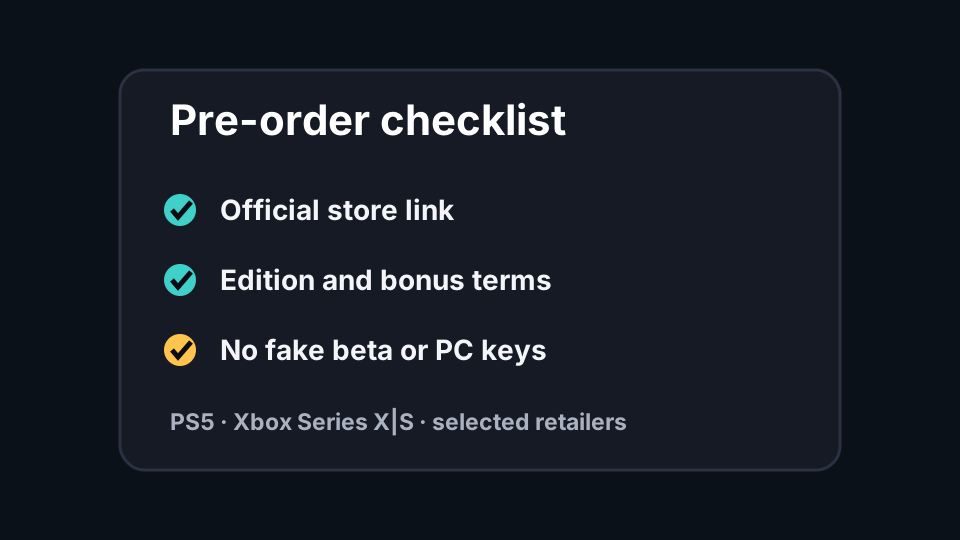
Safe pre-order checks
No PC pre-order yet
Not officially confirmedAny page selling PC access, beta keys or APK access is not aligned with the official platform list.
Read bonus terms
Listed by storeThe listed pre-order bonus and any subscription language should be checked inside the platform store before checkout.
Check region and refund policy
Seen in official mediaStore region, local taxes, delivery format and refund terms can change the real buying decision.
How to pre-order without losing source clarity
The safest pre-order flow should feel almost boring: start from Rockstar, choose the correct PlayStation or Xbox store, compare the edition text, and only then decide whether a local retailer is useful. This keeps the buying path practical while avoiding fake beta, fake PC, fake APK and unofficial discount pages.
For SEO, the important point is not just that pre-orders are open. The page needs to answer the follow-up questions that people search immediately after that answer: which platform is supported, which edition should I choose, what bonus is listed, whether GTA+ or subscription language applies, and whether a retailer page in my country is trustworthy.
The retailer module is intentionally labeled as a watch list. Local stores can be useful for stock, delivery, pickup and regional pricing, but they should not override official platform information. If a retailer listing disagrees with Rockstar, PlayStation or Xbox, the page should show the retailer as a local check and keep the canonical claim tied to the official source.
- Do not buy from a page promising PC access before an official PC announcement.
- Do not treat screenshots or social posts as store evidence.
- Verify the platform, edition, refund policy and bonus terms before checkout.
Frequently asked questions
Where should I pre-order GTA 6?
What bonus is currently listed?
Is there a PC pre-order?
Sources & verification
- Rockstar Newswire — pre-orders begin June 25 · Official
- PlayStation Store — GTA VI · Platform store
- Xbox Store — GTA VI · Platform store
- Rockstar Games — GTA VI · Official
Last verified: